SeedLegals / AI Health Check
AI checks before
expert application review.
I designed an AI review step for SeedLegals Advance Assurance applications. Founders can resolve issues before submitting to the customer experience team (CX).
- My role
- Product designer
- With
- Product manager and CX specialists
- My focus
- Journey, interaction design and iteration
01 / The CX review process
CX reviewed applications
across several sources.
I worked with CX to understand how they reviewed Advance Assurance applications and where recurring corrections created extra work.
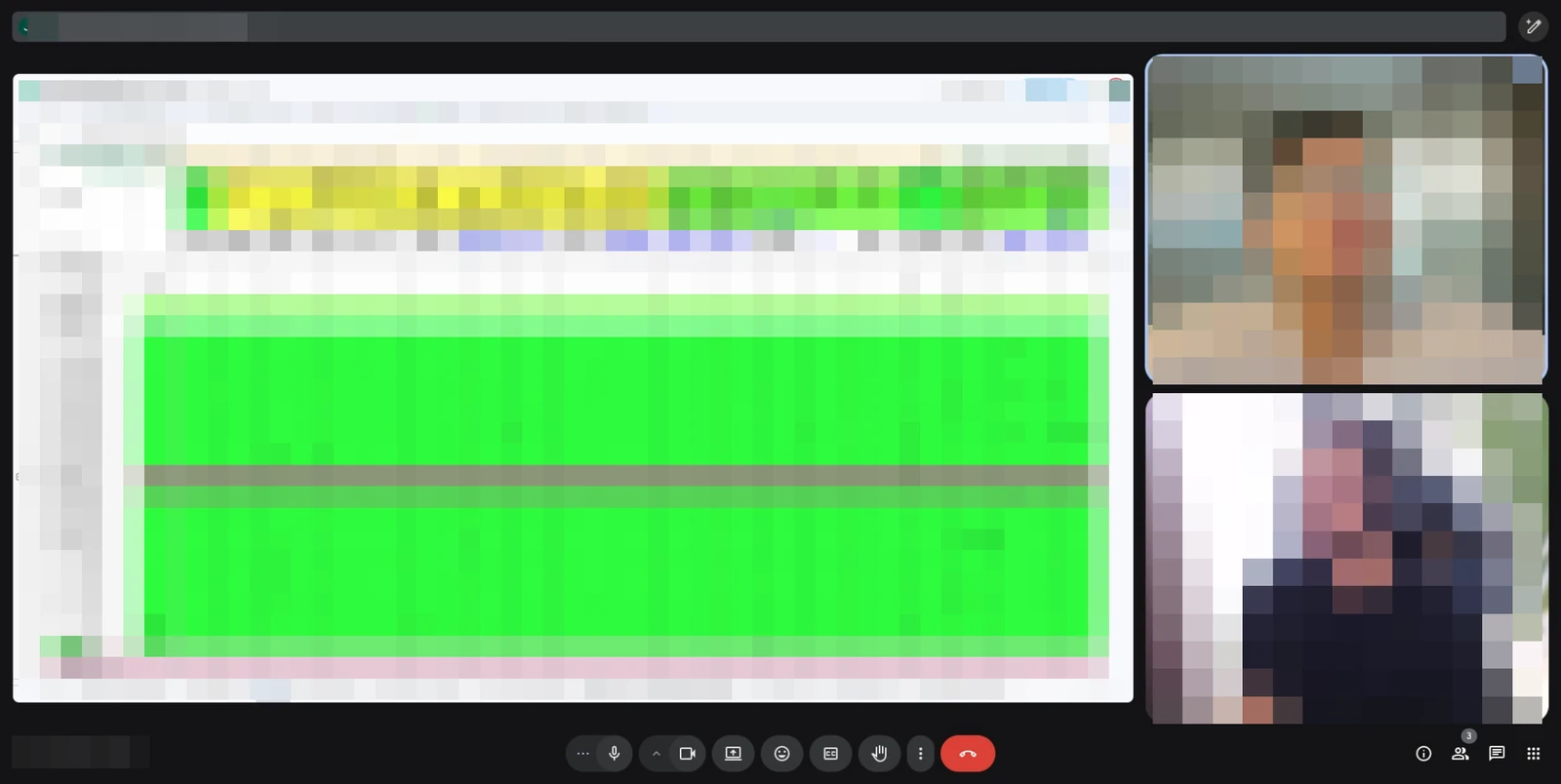
The existing review loop
Corrections meant another pass through the same sources.
Gather and compare
Application, company records and review spreadsheet.
Compile feedback
Bring findings into a review document.
Correct the application
Ask founders to update their details.
Review again
Verify the changes and repeat when needed.
What I learned from CX
Recurring checks could happen
before CX review.
CX already had a documented review framework. Bringing these checks into the application could help founders resolve common issues before submitting.
02 / Design explorations
Where should AI checks
appear in the application?
I compared inline checks and chat review. Both introduced extra work when founders needed to make corrections.
Inline checking
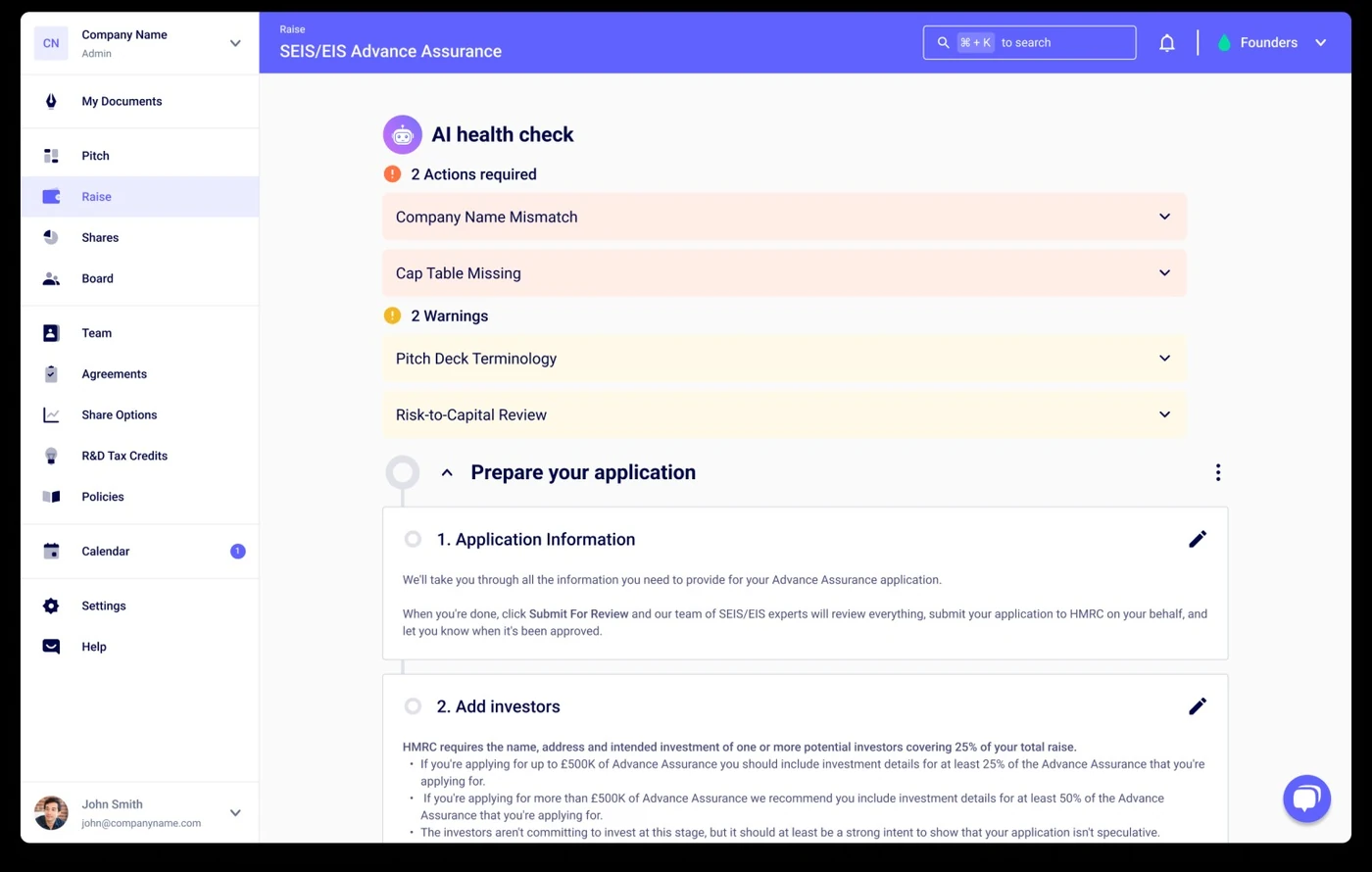
Inline checking demoVideo coming soon Immediate feedback while completing the form. Continuous checks used more tokens and spread findings across pages.
Chat review
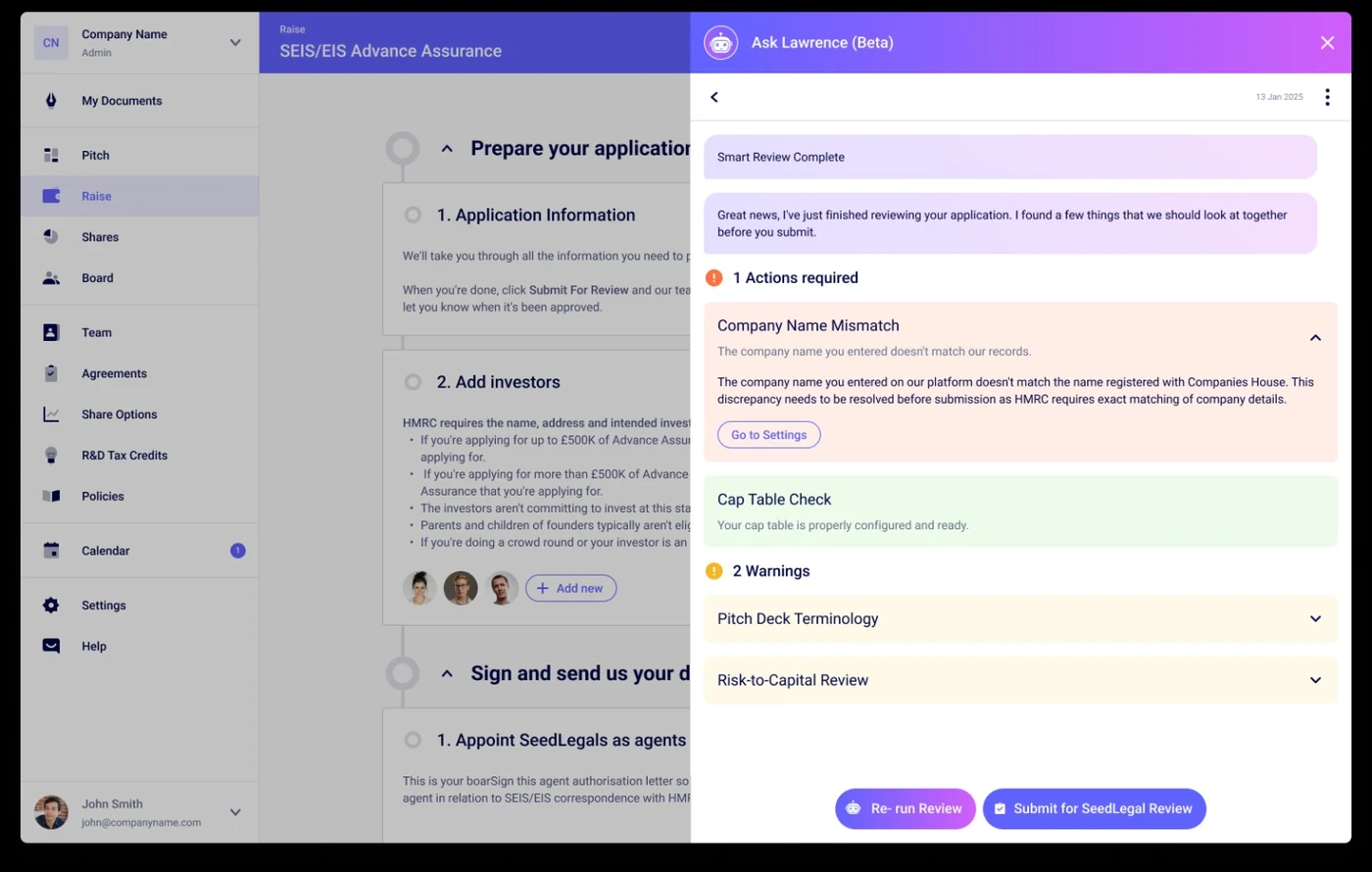
Chat review demoVideo coming soon Founders could ask questions about the application, then switch between the chat, documents and the form to make corrections.
Approach 1 of 2
03 / Chosen approach
Option 3: a checkpoint
before submission.
We chose a checkpoint to keep findings together, avoid continuous checks across pages and give founders a clear route to correct and recheck.
Health Check before submission
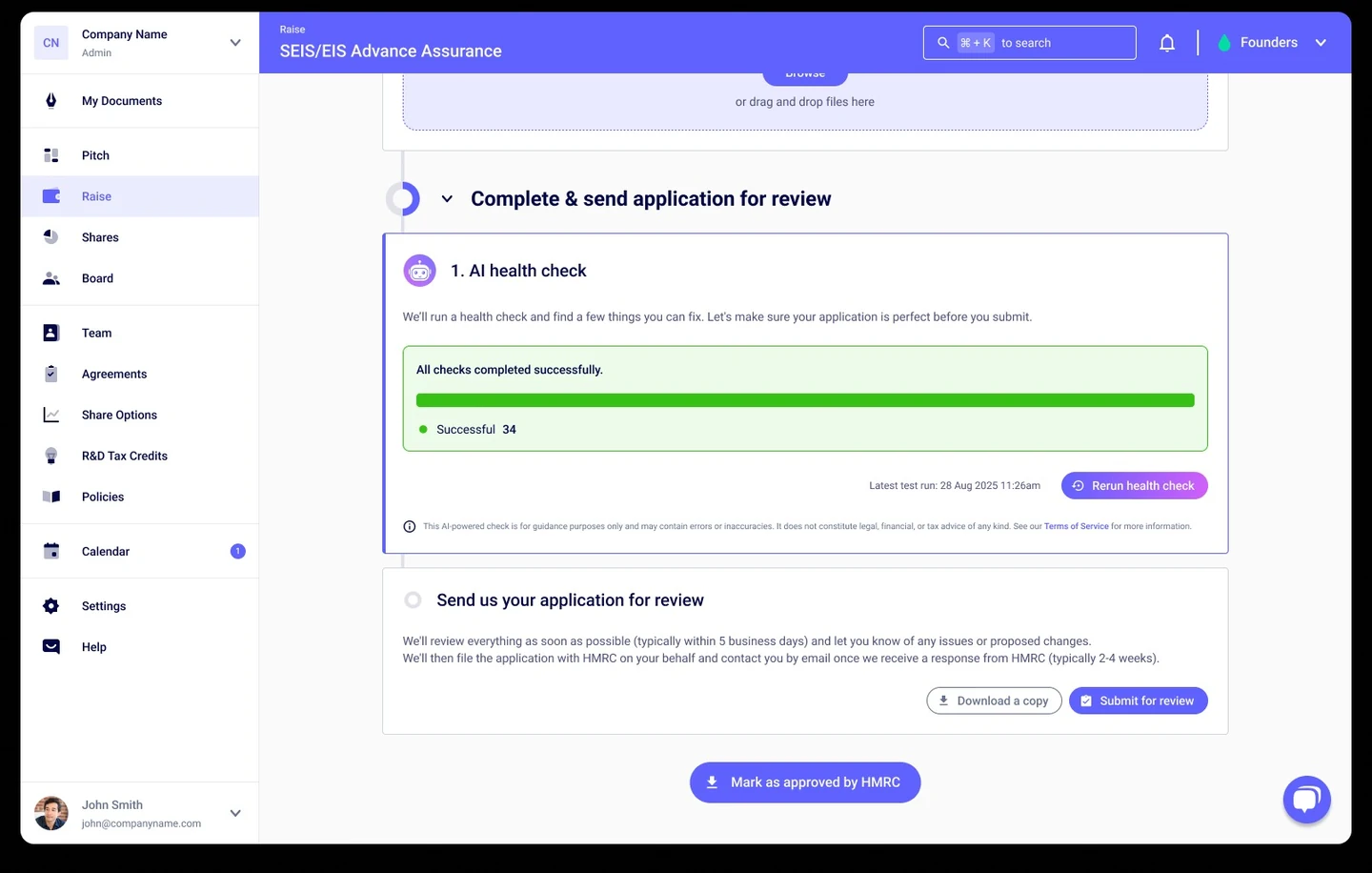
- Run the Health Check
- Review findings
- Correct details
- Recheck
- Send to CX
04 / Reviewing the findings
Reviewing findings and
correcting the application.
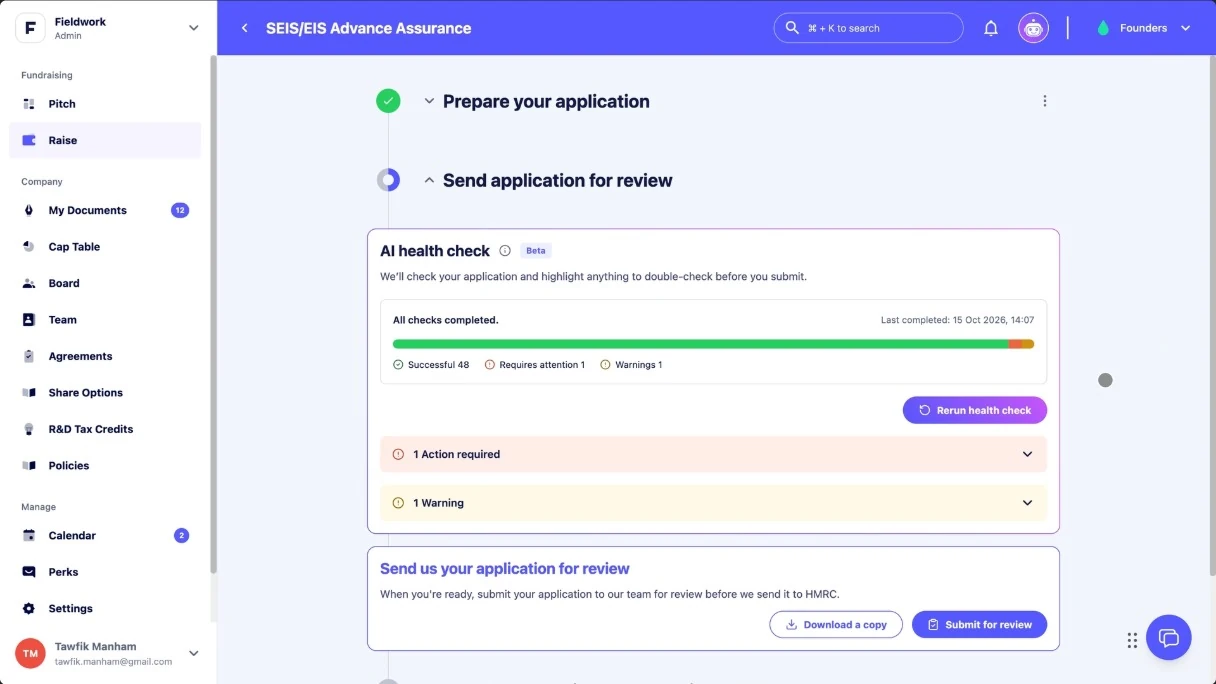
I brought findings into one review view, explained the mismatch and placed Modify beside the issue.
- 15 successful
- 2 require attention
- 1 warning
Show what remains, set a time expectation and keep findings visible.
Findings from your application and uploaded documents.
- 47 successful
- 2 require attention
- 1 warning
Trading name mismatch
Requires attentionYour pitch deck and application use different names. Check that they are consistent.
- Pitch deck
- Fieldwork
- Application
- Fieldwork Labs Limited
Correct the relevant application detail using Modify.
- Explain the mismatch.
- Put the correction beside it.
- Recheck before submitting.
Portfolio reconstructions with illustrative data. Some states were explored during design.
05 / Testing and iterations
What changed after
testing with CX.
A one-day bug bash with CX exposed false flags, missed completion feedback and detail founders did not need.
Founder view
Actions and warnings only.
2 actions required
Add a specific example, such as hiring two engineers.
I removed successful check details so founders could focus on corrections.
CX view
All check results available.
Add the company registration number and upload the latest cap table.
1 warning
47 successful checks
CX kept access to successful checks so the team could review the full set of results.
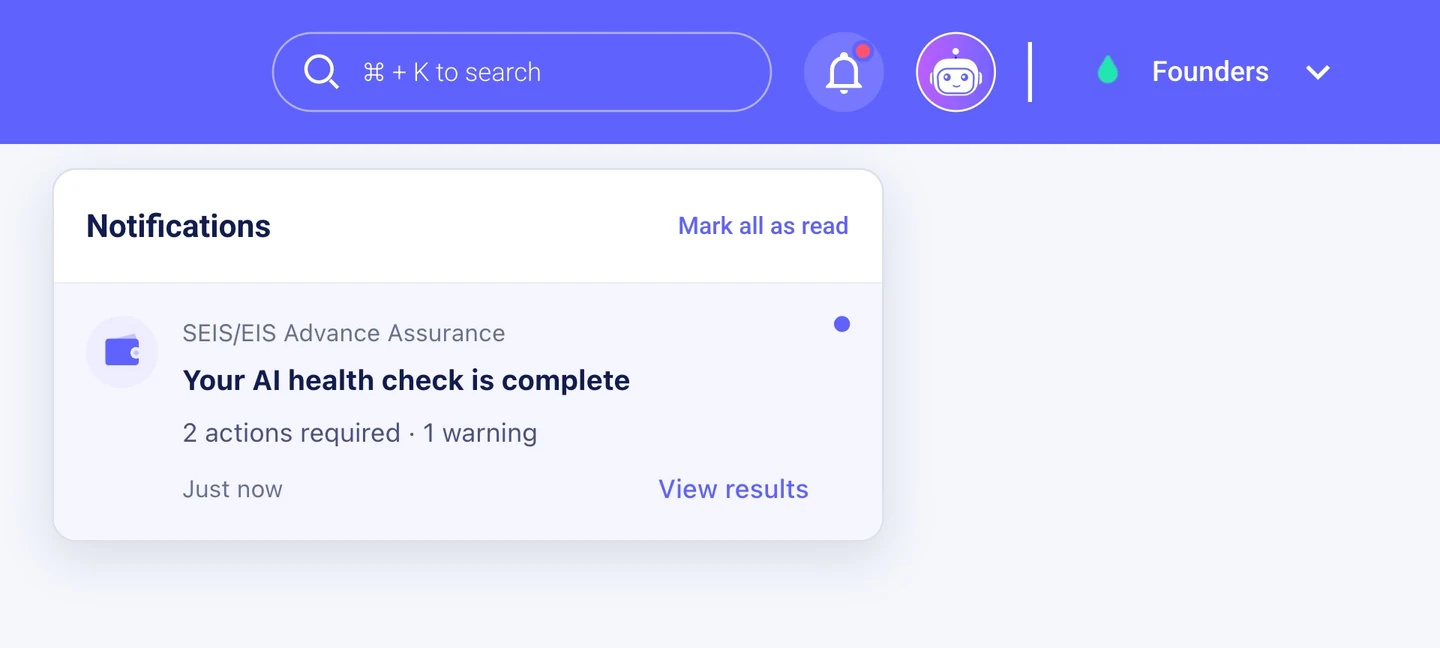
Notification
Return to the results when checks are complete.
Founders can visit other pages while checks run. A notification tells them when results are ready and takes them back to the review.
Reliability
We also addressed false flags, including company names that repeated “Ltd” or “Limited”.
The audience views and notification are portfolio reconstructions.
06 / Outcomes
Fewer issues reached CX.
The review allowance fell.
- Working days
- 5 to 3
- CX review allowance
- Issues reaching CX
- 9+ to about 3
- Reported after launch
- Checks before submission
- 3+
- Observed repeat use
The project team reported these observations. The working-day figure reflects the time allowed for CX review. The measurement period and underlying records were unavailable.
What I learned
Building an AI feature meant repeatedly questioning what users needed.
I started with ambitious possibilities, including a chat interface. Comparing approaches and testing with CX helped me make more focused choices. Showing progress and hiding successful checks from founders helped them understand what to do next.